






In 2023, a UK agency pitted ChatGPT against Bing Chat and Google Bard on everyday marketing tasks. The references were broken. The code didn’t work. The verdict: humans still won.
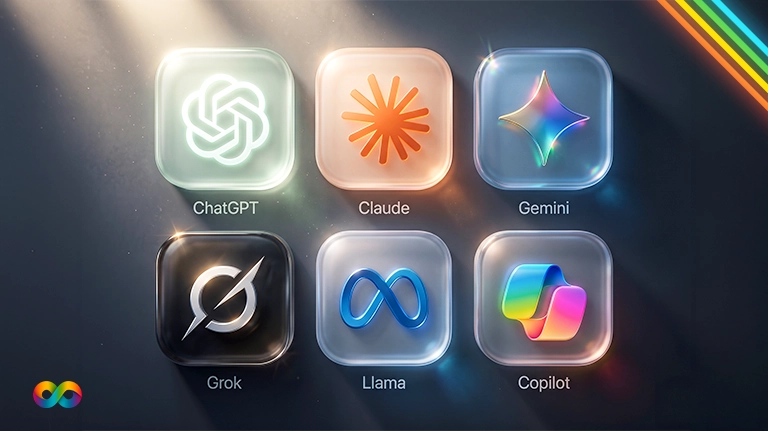
Three years later, Bard is Gemini, Bing Chat is Microsoft Copilot, and two newer contenders, Claude and Perplexity, have entered the ring.
Choosing the best AI chatbot for marketing now matters more than it did then. The wrong pick wastes subscription money, and pasting client data into the wrong plan is a real privacy risk. Below: which chatbot fits which marketing job, what each one costs, and which plans keep your data out of training. We use AI assistants every day in our own SEO and content work, and every tool claim here comes from the vendor’s own documentation.
The Quick Verdict: Which AI Chatbot for Which Job?
There is no single winner. The best AI chatbot for marketing depends on where your team already works and what the job needs. Google Workspace teams get the most from Gemini, Microsoft 365 teams from Copilot, research-heavy work suits Perplexity, and ChatGPT and Claude are the strongest general-purpose writing and analysis assistants.
| If you need… | Best fit | Why |
|---|---|---|
| AI inside Gmail, Docs and Sheets | Gemini | Help in Docs and Sheets on Google AI Pro and above |
| AI inside Word, Excel, PowerPoint and Outlook | Microsoft Copilot | Built into Microsoft 365 apps |
| Research answers with sources | Perplexity | Designed around search and sourcing |
| Reusable workflows for repeat tasks | Claude or ChatGPT | Claude skills and projects; ChatGPT custom GPTs and projects |
| One all-rounder for text and images | ChatGPT | Image generation on every plan, including free |
These calls are based on what each company documents, not on brand loyalty. The right answer for your team is the one that survives a test on your own work, which is why we include a five-task test you can run below.
What Changed Since the 2023 Battle of the Bots?
Nearly everything about the field, and one thing about the job.
The names changed: Google Bard became Gemini, and Bing Chat became Microsoft Copilot. Web search is now standard rather than an add-on; Claude, for example, includes it on every plan, including the free one. That makes the 2023 problem of invented references less common, though not gone.
The assistants also moved out of the chat window and into the tools marketers use all day. Gemini now works inside Google Docs and Sheets, and Copilot inside Word and Excel. Business plans with stronger data protection now exist from every major vendor.
What did not change: everything an AI produces still needs a human check before it reaches a client or goes into an ad.
The Five Contenders
ChatGPT (OpenAI)
Best for: all-round drafting, brainstorming, image generation and custom GPTs for tasks you repeat. It is the broadest general-purpose assistant of the five.
Watch out for: OpenAI’s pricing page notes the low-cost Go plan “may include ads,” and consumer plans use chats for training unless you opt out.
Marketer angle: ChatGPT is now an ad channel as well as a tool. Our ChatGPT Ads guide covers who should run them.
Claude (Anthropic)
Best for: long-form writing, editing to a style guide, analysing long documents, and reusable “skills” that save a repeatable workflow, such as a content brief format.
Watch out for: the Free, Pro and Max plans use chats for training unless you opt out. The Team and Enterprise plans do not by default.
Plan note: Pro costs $20 USD a month billed monthly, or $17 a month billed annually.
Gemini (Google)
Best for: teams that live in Google Workspace. On Google AI Pro and above, Gemini helps inside Docs and Sheets, and every paid tier includes Deep Research plus image and video creation credits.
Watch out for: the most useful Workspace features sit on the higher tiers, and some features launch in the US first, such as the AI overview in Gmail.
Microsoft Copilot
Best for: Microsoft 365 teams. Copilot drafts in Word, analyses data and builds charts in Excel, outlines decks in PowerPoint, and includes Researcher and Analyst agents.
Watch out for: free Copilot Chat comes with eligible Microsoft 365 plans, but the in-app experience is a paid add-on.
Plan note: Copilot Business is $18 USD per user per month on an annual commitment, or $25.20 billed monthly.
Perplexity
Best for: fast research with sources: competitor scans, market questions and fact-finding before you write. Its Pro plan focuses on deeper research, more file uploads and deeper sourcing.
Watch out for: it is a research tool first. Long-form drafting and brand voice are not its focus, and you should still open every source it cites.
Feature Comparison at a Glance
| Feature | ChatGPT | Claude | Gemini | Copilot | Perplexity |
|---|---|---|---|---|---|
| Web search | All plans | All plans | Yes | Yes | Core feature |
| Deep research | All plans (limited on free) | Paid plans | All Google AI plans | Researcher agent | Extended on Pro |
| Image creation | All plans | Check vendor | Yes, plus video credits | Check vendor | Check vendor |
| Reusable workflows | Custom GPTs, projects | Skills, projects | Gems, notebooks | Agents | Check vendor |
| Built into office apps | Through connectors | Through connectors | Google Workspace | Microsoft 365 | No |
This table reflects each vendor’s documentation as of October 2026. Features change monthly, so check before you commit a team to a tool.
How Much Do AI Chatbots Cost for Marketers?
All five offer a free way to start. Paid prices below are in US dollars as listed by each vendor; Canadian billing may differ.
| Tool | Individual paid plan | Team or business plan |
|---|---|---|
| ChatGPT | See OpenAI pricing (Go, Plus and Pro tiers) | Business plan, see OpenAI pricing |
| Claude | Pro $20/month ($17 billed annually) | Team from $25/seat/month ($20 billed annually) |
| Gemini | Google AI Plus $9.99, AI Pro $19.99 per month | Through Google Workspace plans |
| Microsoft Copilot | Copilot Chat included with eligible Microsoft 365 plans | Copilot Business $18/user/month annual, $25.20 monthly |
| Perplexity | See Perplexity Pro | Enterprise plans, see Perplexity |
For most small teams, one paid seat per person on a single tool beats a scatter of free accounts across five. You get higher limits, shared projects and, on business plans, better data terms.
How to Run Your Own 5-Task Test
The 2023 battle had the right idea: same prompt, several tools, real marketing work. Here is a 2026 version you can run in an afternoon. Use a fresh chat for each tool, paid individual plans, the same day, and one person judging every result on accuracy, how usable it is without editing, and whether it followed instructions.
| # | Task | What to check |
|---|---|---|
| 1 | Write a blog brief from one keyword and two competitor URLs | Clear structure, accurate summary of competitors, usable headings |
| 2 | Write 10 Google Ads headlines, 30 characters max, for a local dentist | Every headline within the limit; no claims that break ad policies |
| 3 | Research a competitor and cite sources | Do the sources exist, and do they say what was claimed? |
| 4 | Summarise a GA4 export (CSV) into three insights | Correct numbers and an insight you would act on |
| 5 | Turn one case study into a LinkedIn post and three captions | Accurate figures, your brand voice, no invented results |
For task five, use a case study with exact figures, such as The Tooth Place: 219 new patients in six months at $25.87 per lead. Any tool that changes those numbers fails the task. Score each task out of five, and the winner for your team is usually obvious by task three.
What None of Them Do Well Yet
Every assistant can still state a wrong fact confidently, so open every source before you repeat it. None of them knows your ad account, your margins or your customers unless you give it that data. Brand voice drifts without examples and a style guide. And character limits and ad policies still need a human check before anything launches, a theme that runs through our list of Google Ads mistakes that drain budgets.
How to Choose: Four Questions
- Which office suite does your team live in? Google Workspace points to Gemini. Microsoft 365 points to Copilot.
- Is the work mostly research or mostly writing? Research leans Perplexity. Writing and analysis lean ChatGPT or Claude.
- Will you paste client or customer data? Then use a business plan that does not train on your data by default.
- Do you repeat the same tasks every week? Pick the tool whose reusable workflows, whether GPTs, skills, Gems or agents, your team will actually maintain.
A Note on Privacy and Client Data
Consumer plans of ChatGPT and Claude use your chats to train models unless you opt out, according to their own pricing pages. Claude’s Team and Enterprise plans do not train on your data by default, and Microsoft 365 Copilot includes Enterprise Data Protection. Whatever you choose, never paste client names, customer lists or personal information into a consumer account, and check your client contracts and Canadian privacy obligations under PIPEDA first. This is general information, not legal advice.
The Bottom Line
The 2026 rematch has no knockout winner, and that is good news. The right chatbot is the one that fits your tools, your tasks and your data rules. Pick one based on where your team already works, run the five-task test on your real work, use a business plan for anything involving clients, and keep a human check on everything that goes out under your name.
Want help putting AI to work safely? Book a free AI workflow review and we will show you where AI saves your team time and where it creates risk. We work month to month, with no contract.
Frequently Asked Questions
It depends on the content. ChatGPT and Claude are the strongest general writers, while Gemini and Copilot fit best if you draft inside Google Docs or Word.
Both are strong, and the honest answer depends on your brief. Run task one and task five from our test with your own style guide and compare.
Usually not at first. One paid seat on the tool that fits your office suite and main task is enough to start.
Yes, for fast research with sources. Open each source before you quote it, because a citation is only as good as the page behind it.
They can draft headlines and descriptions quickly. A person still needs to check character limits, claims and ad policies before launch.
Only on business plans that do not train on your data by default, and only within what your client agreements allow.