






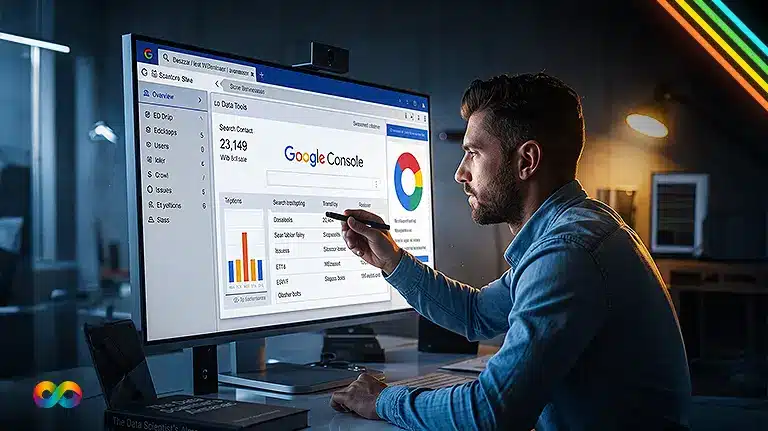

If you want your business website to rank higher on Google and attract more qualified customers, you need the right SEO tools. One of the most valuable free tools available is Google Search Console. A proper Google Search Console Setup allows you to monitor your website’s performance, identify indexing issues, track keyword rankings, and improve your overall SEO strategy. Whether you own a local business, an eCommerce store, or a service-based company, Google Search Console gives you the insights needed to grow your online presence. At Infinity Digital, we help businesses across Canada leverage this powerful platform to maximize visibility and long-term organic growth.
What Is Google Search Console?
Google Search Console (GSC) is a free platform provided by Google that helps website owners monitor, maintain, and improve their website’s presence in Google Search results. Instead of guessing how your website performs, GSC provides accurate data directly from Google.
With Google Search Console SEO, you can:
- Monitor website traffic from Google Search
- Track keyword rankings
- Find indexing problems
- Submit sitemaps
- Improve website performance
- Fix mobile usability issues
- Monitor Core Web Vitals
- Detect security issues
- Analyze backlinks
Whether you manage your own website or work with a professional SEO Agency Canada, Google Search Console is one of the most important tools for long-term SEO success.
Why Every Canadian Business Needs Google Search Console
Many businesses invest in websites but never monitor their search performance. As a result, they miss valuable opportunities to increase traffic and generate more leads.
Google Search Console helps Canadian businesses:
- Understand how customers find their website
- Discover high-performing keywords
- Fix technical SEO issues quickly
- Improve local search visibility
- Increase organic traffic
- Measure SEO campaign performance
Businesses that invest in SEO Services Canada often use Google Search Console daily to identify opportunities and measure results.
Step 1: Sign In to Google Search Console
Visit the Google Search Console website and log in using your Google account.
If you already use Gmail, Google Analytics, or Google Ads, you can use the same account.
After logging in, click Add Property.
Step 2: Choose Your Property Type
Google offers two verification methods:
Domain Property
This option tracks every version of your website, including:
- https
- http
- www
- non-www
- Subdomains
This is Google’s recommended option.
URL Prefix
This tracks only the exact URL you enter.
For example:
Most SEO professionals recommend the Domain Property because it collects more complete data.
Step 3: Verify Website Ownership
Google needs to confirm that you own the website.
You can verify ownership using:
- DNS Record
- HTML File Upload
- HTML Tag
- Google Analytics
- Google Tag Manager
The DNS verification method is the most reliable because it covers your entire domain.
If you work with an experienced SEO Agency Canada, they can complete this process within minutes.
Step 4: Submit Your XML Sitemap
Once your website is verified, submit your XML sitemap.
Your sitemap usually appears at:
yourwebsite.ca/sitemap.xml
Navigate to:
Index → Sitemaps
Paste the sitemap URL and click Submit.
Submitting your sitemap helps Google discover new pages faster.
It also ensures important pages receive proper indexing.
Step 5: Check Index Coverage
Google Search Console shows which pages are indexed and which pages have issues.
Common indexing errors include:
- Crawled but not indexed
- Page not found (404)
- Redirect errors
- Server errors
- Duplicate pages
- Blocked by robots.txt
Review these reports regularly to maintain healthy website indexing.
Professional Technical SEO Services often begin by resolving these indexing problems.
Step 6: Monitor Search Performance
This is one of the most valuable reports inside Google Search Console.
The Performance report shows:
- Total clicks
- Total impressions
- Average CTR
- Average position
- Top keywords
- Best-performing pages
- Countries
- Devices
At this stage of your Google Search Console Setup, you can begin tracking how your website performs in Google Search and identify new keyword opportunities for growth.
You can also compare monthly performance to see whether your SEO efforts are improving.
Step 7: Inspect Individual URLs
Use the URL Inspection Tool whenever you publish new content.
This tool tells you:
- Whether Google indexed the page
- Last crawl date
- Mobile usability
- Structured data status
- Crawling issues
If the page isn’t indexed, click Request Indexing.
This speeds up Google’s crawling process.
Step 8: Monitor Core Web Vitals
Website speed has become a major ranking factor.
Google Search Console includes Core Web Vitals reports that measure:
- Largest Contentful Paint (LCP)
- Interaction to Next Paint (INP)
- Cumulative Layout Shift (CLS)
Improving these metrics provides better user experiences while supporting stronger search rankings.
Many businesses combine Core Web Vitals optimization with Technical SEO Services for the best results.
Step 9: Check Mobile Usability
Most Canadians search using smartphones.
Google prioritizes mobile-friendly websites through mobile-first indexing.
Review your Mobile Usability report for issues such as:
- Small text
- Clickable elements too close together
- Content wider than screen
- Viewport configuration problems
Fixing these issues improves both user experience and rankings.
Step 10: Monitor Backlinks
Backlinks remain one of Google’s strongest ranking signals.
Google Search Console shows:
- External links
- Internal links
- Top linked pages
- Top linking websites
This data helps identify your strongest content and backlink opportunities.
Step 11: Improve Local SEO
Canadian businesses rely heavily on local search traffic.
Use Google Search Console alongside Google Business Profile to improve local visibility.
Review:
- Local keywords
- City-specific searches
- Service-related queries
- Mobile searches
Businesses investing in Local SEO Services Canada often use this information to create location-specific content that attracts nearby customers.
Step 12: Optimize Existing Pages
One of the easiest ways to increase traffic is by improving pages already ranking on Google.
Look for keywords ranking between positions 8 and 20.
Then improve:
- Titles
- Meta descriptions
- Internal links
- Content quality
- Images
- FAQs
- Schema markup
Combining GSC insights with On-Page SEO Services can significantly improve rankings without creating entirely new content.
Common Google Search Console Mistakes
Many website owners set up Google Search Console but fail to use it effectively.
Avoid these common mistakes:
- Never submitting a sitemap
- Ignoring indexing errors
- Not monitoring keyword rankings
- Forgetting mobile optimization
- Ignoring Core Web Vitals
- Never requesting indexing for new pages
- Overlooking structured data issues
- Failing to review monthly reports
Regular monitoring leads to continuous SEO improvements.
How Infinity Digital Helps Canadian Businesses
Setting up Google Search Console is only the first step. The real value comes from understanding the data and turning it into an effective SEO strategy.
At Infinity Digital, we help businesses across Canada with:
- Complete Google Search Console for Business setup
- Website audits
- Keyword research
- Technical SEO improvements
- Local SEO campaigns
- Content optimization
- Schema implementation
- Performance tracking
- Monthly SEO reporting
- AI search optimization
As a trusted provider of SEO Services Canada, our team combines advanced analytics, Technical SEO Services, and content strategies to help businesses increase organic traffic and generate more qualified leads.
We also deliver Best AEO Services Company solutions that prepare your website for AI-powered search experiences, voice search, and Google’s evolving search technologies.
Final Thoughts
A complete Google Search Console Setup provides valuable insights that help your business grow online. From tracking keyword performance to fixing indexing issues and improving technical health, Google Search Console gives you the data needed to make informed SEO decisions. When paired with professional SEO Agency Canada, Google Search Console SEO, On-Page SEO Services, and Local SEO Services Canada, this powerful platform becomes an essential part of every successful digital marketing strategy. At Infinity Digital, we help Canadian businesses unlock the full potential of Google Search Console and build sustainable organic growth.