

WordPress remains the dominant content management system on the web, powering roughly 43% of all websites according to W3Techs, far ahead of any competing platform. That scale exists because it’s genuinely flexible, extensible through plugins, and manageable without deep coding knowledge. Here’s the actual process behind building a WordPress site properly, not just the checklist version.
What WordPress actually is
WordPress is a content management system that lets you build and manage a website without needing to code from scratch. It provides the structure, editing tools, and plugin ecosystem to make a functional, regularly updated site achievable for a business owner, not just a developer.
The building process, step by step
| Step | Stage | What it involves |
|---|---|---|
| 1 | Domain name | Choose a name reflecting your brand, ideally with a relevant keyword, on a reputable registrar |
| 2 | Security (SSL) | Purchase and install an SSL certificate before anything else goes live |
| 3 | Hosting | Choose reliable hosting matched to your site’s traffic and performance needs |
| 4 | Install WordPress | Set up WordPress on the server and secure your admin login details |
| 5 | Theme selection | Choose a theme matching your brand and functional needs |
| 6 | Add core pages | Home, Contact, Services, and Privacy Policy at minimum |
| 7 | Install key plugins | SEO, security, and performance plugins, configured properly, not just activated |
| 8 | Add content | Populate pages and blog posts with real, SEO-friendly content |
Choosing a domain name
Your domain is the first thing people associate with your business online. Choose a popular top-level domain (.com is still the default expectation for most visitors) and work in a relevant keyword where it fits naturally. Compare pricing and renewal terms across registrars, since introductory pricing sometimes hides a much higher renewal cost.
Security comes before anything else goes live
As soon as your domain is registered, get an SSL certificate in place. It encrypts data moving between your site and its visitors, which protects sensitive information from interception, and Google has confirmed HTTPS as a ranking signal, meaning secure sites get a real (if modest) SEO advantage over sites without one. Skipping this step, or leaving it for later, means launching with a visible “not secure” warning in most browsers, which undermines trust before a visitor reads a single word of your content.
Hosting: where your site actually lives
Your host handles every request that hits your site, so a slow or unreliable one directly undermines everything else you build. Buying dedicated server hardware is expensive and unnecessary for most businesses, renting from a reputable cloud hosting provider is the more practical starting point. A good host keeps your site running smoothly, which matters directly for user experience and, by extension, for how long visitors actually stay and whether they convert into a customer or client. The cheapest hosting plan available is rarely the right choice once real traffic and business reputation are on the line.
Installing WordPress and getting your first look at the backend
Once hosting and a domain are ready, WordPress installation is typically a one-step process through most hosting providers, after which you’ll have your login credentials and access to the admin dashboard, the control center for everything that follows.
Choosing a theme that actually fits
Themes range from free to a modest paid fee, and the right choice depends on your specific business type and functional needs, not just visual preference. A theme built for a photography portfolio and one built for a service business solve very different structural problems, even if both look polished in a demo.
Building out the core pages
At minimum, a functional site needs a Home page, a Contact page, a Services page, and a Privacy Policy page. These can be created directly from the WordPress dashboard, with navigation structure managed through the Menu section, and expanded over time as the business grows beyond these fundamentals.
Installing the plugins that actually matter
A handful of plugins consistently belong on a properly built WordPress site: an SEO plugin (Yoast or Rank Math) to manage technical SEO elements like robots.txt, XML sitemaps, and clean permalink structures, a security plugin to guard against common vulnerabilities, and a caching plugin to keep load times fast as content grows. Installing a plugin isn’t the same as configuring it properly, and a surprising number of sites have plugins active with their most useful settings left on default, which means most of the actual benefit is never realized.
Adding content that actually earns traffic
Blog posts, service pages, and images all need to be genuinely useful and properly optimized, not just present. SEO-friendly content, built around the terms your actual customers search for, is what turns a functional website into one that actually ranks and attracts new visitors over time. A site with all eight steps above completed correctly but thin, generic content still underperforms, since none of the technical foundation matters if there’s nothing worth reading once a visitor arrives.
Real examples of what this looks like finished
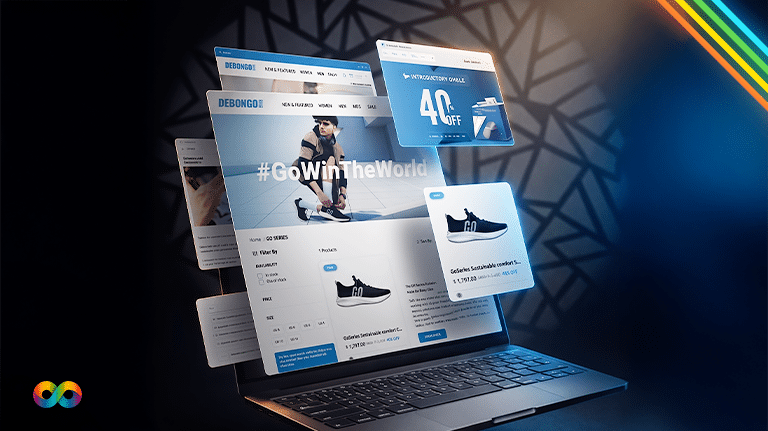
Mint Leaf Restaurant is a clear example of this process executed well: a full WordPress build from scratch, including UberEats and DoorDash integration and an admin-manageable menu system the client updates themselves without touching code. Diet & Fit needed WordPress paired with WooCommerce specifically, since the business required both a content-rich brand presence and a full online store, a combination that shaped several of the plugin and theme decisions differently than a purely informational site would need.
If you want to see this exact process broken down visually, we also built a WordPress build process infographic walking through the same steps from idea to launch.
Putting it together
Building a WordPress site properly takes more than following eight steps once, it requires understanding why each step matters and configuring it with your specific business in mind, not just accepting default settings. Our WordPress web design service handles this entire process end to end, matched to your specific goals and budget.