


If you’ve opened Google Maps recently and noticed a new conversational button below the search bar, you’ve already run into Ask Maps. Google officially announced the feature in March 2026, and it’s quietly become one of the most important developments in local search since the Google Business Profile itself. The stakes are hard to overstate: Google Maps now serves over 2 billion monthly active users, and roughly 88% of consumers use it to find local businesses in the first place. For business owners who rely on Maps to bring in local customers, this isn’t a minor update to ignore. It changes how people find businesses, and it changes what “ranking” actually means.
This guide breaks down what Ask Maps is, how it actually works, what it means for your business, and the concrete steps you can take to show up in it, before most of your competitors even realize it exists.
What Is Ask Maps?
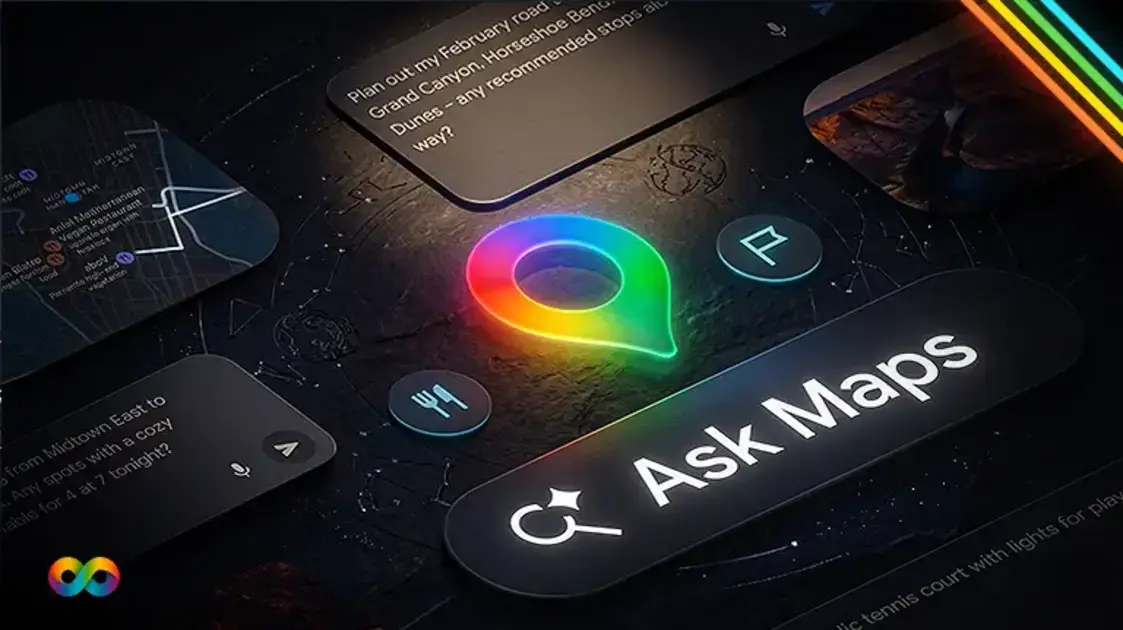
Ask Maps is a Gemini-powered conversational feature built directly into Google Maps. Instead of typing a business name or a short keyword phrase, users can now ask Maps natural, conversational questions, the way they’d ask a knowledgeable friend, and get personalized recommendations plotted directly on the map.
Google’s own examples give a good sense of what this looks like in practice: “My phone is dying, where can I charge it without waiting in a long line for coffee?” or “My friends are coming from Midtown East to meet me after work, any cozy spots with a table for four at 7 tonight?” TechCrunch reported that the feature can also plan multi-stop trips, suggesting real stops along a road trip complete with directions, ETAs, and tips sourced from real people. These aren’t keyword searches. They’re full questions, with context, preferences, and constraints baked in, and Ask Maps is built to actually answer them.
Since its March launch in the US and India, the feature has expanded quickly. As of August 2026, Ask Maps is rolling out across Canada, Australia, Brazil, Indonesia, Japan, Mexico, and more than 150 countries and territories in English, alongside new capabilities like food ordering, hotel and event booking, and live transit updates.
How Does Ask Maps Actually Work?
Ask Maps isn’t searching the open web the way a Google search does. It’s grounded entirely in Google’s local data graph, which Google has confirmed spans more than 300 million places worldwide: Google Business Profiles, customer reviews, real-time traffic and busyness signals, pricing data, and, for signed-in users, their own Maps search and save history.
A few things matter here for how it generates a recommendation:
It reads review text, not just star ratings. Gemini analyzes the actual content of reviews to extract specific details, seating, parking, wait times, accessibility, dietary options, and service quality, then uses those details to match a business against a conversational query. A review that says “great outdoor patio, dog-friendly, easy street parking” gives the AI far more to work with than a review that just says “loved it.”
It personalizes results. If a user has previously searched for or saved vegan restaurants, Ask Maps factors that preference into future recommendations, even when the query itself doesn’t mention it.
It relies on a genuinely complete Google Business Profile. Categories, attributes, hours, photos, and services all feed directly into what Gemini can confidently say about your business. An incomplete or outdated profile isn’t just a missed opportunity, it’s information the AI simply doesn’t have to work with.
This is a meaningful shift from how local search has worked for the past decade, and it’s worth understanding exactly what’s changing.
Ask Maps vs. the Traditional Local Pack vs. AI Overviews
It’s easy to lump every AI-related search change together, but Ask Maps, the traditional local 3-pack, and Google’s AI Overviews are three genuinely different things, and each rewards slightly different work.
The practical takeaway: optimizing for one doesn’t automatically optimize you for the others. A business with strong traditional local SEO (consistent citations, a healthy review count) can still be invisible in Ask Maps if its profile lacks the specific attributes and detailed review content Gemini needs to confidently recommend it for a conversational query.
What Ask Maps Means for Your Business
The biggest shift is this: Ask Maps changes local search from a ranking model to a recommendation model. Instead of Google showing a ranked list based primarily on keyword relevance and proximity, Gemini is actively deciding which businesses best match the intent behind a question, and only recommending a handful.
That has two real implications. First, a business that’s ranked well for years under the old model isn’t guaranteed to show up in Ask Maps results, the inputs are different, and a profile built purely around keyword-stuffed categories won’t carry the same weight. Second, and more usefully, this is a genuine first-mover opportunity. Most local businesses haven’t touched their Google Business Profile with Ask Maps in mind yet, which means the businesses that optimize now have a real window to establish themselves as the AI’s go-to recommendation in their category before that window closes.
How to Rank on Ask Maps: A Practical Checklist
Ask Maps optimization builds on the same Google Business Profile foundation as traditional local SEO, but it demands a level of completeness and specificity that most profiles simply don’t have yet.
1. Fill out every attribute your business actually has. Pet-friendly, kid-friendly, wheelchair accessible, outdoor seating, free parking, accepts walk-ins, whatever genuinely applies. These attributes are exactly what Gemini matches against conversational queries like “somewhere kid-friendly with parking nearby.”
2. Use categories and descriptions that match how customers actually talk. Real phrases like “same-day emergency plumbing” or “luxury one-bedroom apartments” match natural-language queries far better than generic industry labels. This is the same principle behind Generative Engine Optimization, writing for how people actually ask questions, not just how they type keywords.
3. Actively encourage detailed reviews, not just five-star ratings. A review mentioning specific details, wait times, seating, staff helpfulness, is genuinely more valuable to your Ask Maps visibility than ten generic “great service!” reviews. Consider prompting customers with a specific question when you ask for a review.
4. Respond to every review, especially negative ones, promptly. Gemini can encode negative details directly into an AI-generated summary of your business. An unaddressed complaint about slow service doesn’t just sit there, it can actively shape how the AI describes you to a potential customer.
5. Upload real, detailed photos regularly. Interior shots, product photos, and team photos help Google’s AI understand what’s actually inside your business, information it uses to answer visual and descriptive queries.
6. Keep your profile active. Profiles that go more than 30 days without an update, a new photo, a post, an hours change, see measurable drops in AI-surfaced visibility. Regular activity signals to Google that your information is current and trustworthy.
7. Confirm your service area and NAP consistency. Ask Maps uses service area data to match conversational queries from nearby users, and inconsistent name, address, or phone information across the web undermines the trust signals Gemini relies on.
None of this replaces the fundamentals of local SEO, it builds directly on top of them. If your Google Business Profile and citation foundation aren’t solid yet, that’s genuinely the place to start before layering in Ask Maps-specific work.
Where This Fits Into Your Broader SEO Strategy
Ask Maps is part of a larger shift toward AI-driven discovery that also includes Google’s AI Overviews and answer engines like ChatGPT and Gemini itself. The businesses seeing the strongest results right now aren’t treating Ask Maps as an isolated project, they’re building it into a broader strategy that also covers technical SEO, on-page content, and generative engine optimization together. Our complete Local SEO guide is a good next read if you want the full foundation this builds on.